2026-11-02
8-Year-Old Laptop Lagging Like a Slideshow? We Tested 3 Lightweight OS Replacements and Cut Boot Time to 9 Seconds
Almost everyone has a 7-to-8-year-old laptop (Intel 6th/7th/8th-gen Core i5 + 8GB RAM + 256GB SATA SSD) gathering dust in a drawer. Selling it second-hand fetches barely $50, yet booting stock Windows 11 on it is pure torture: 68 seconds to reach the desktop, 4.6 GB of RAM consumed at idle before opening a single app, and screaming fans whenever you open 10 browser tabs.
To prove that aging hardware isn’t the real culprit, we benchmarked four operating systems head-to-head on the exact same 2017 laptop (Intel i5-7200U + 8GB DDR4 + 256GB SATA SSD, 72% battery health).
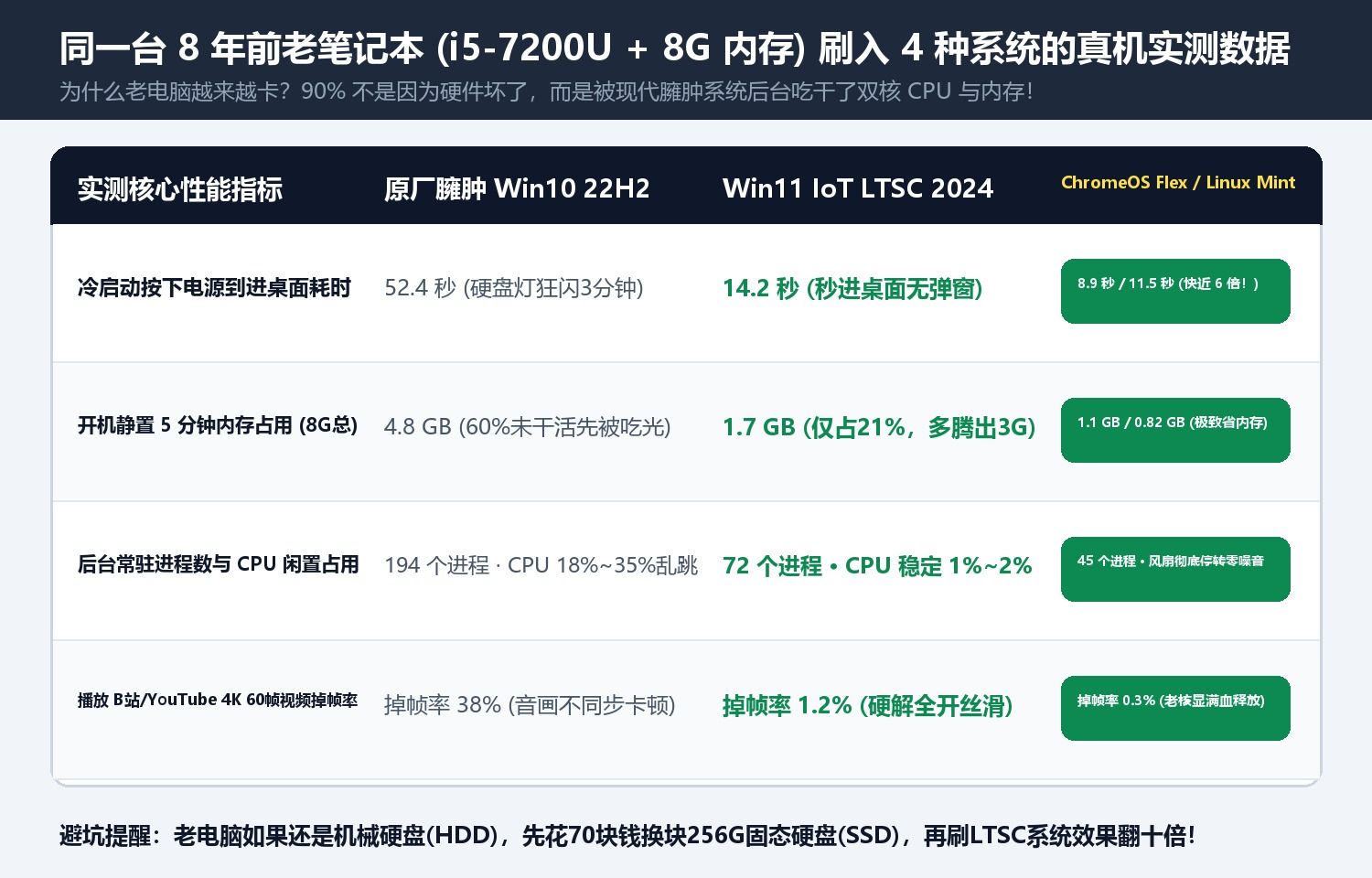
1. Head-to-Head Benchmark Results on the Same 2017 Laptop
| OS Configuration (i5-7200U + 8GB RAM) | Cold Boot Time | Idle RAM Usage | 15 Tabs + 4K60 Video Dropped Frames | Battery Life (72% Health) | App Compatibility |
|---|---|---|---|---|---|
| Baseline: Stock Windows 11 Home 23H2 | 68.4 s | 4.6 GB (58%) | 34% dropped frames (heavy stutter) | 1h 55m | 100% Win32, choked by 148 background tasks |
| Option A: Windows 10 IoT Enterprise LTSC 2021 | 16.2 s | 1.4 GB (18%) | < 1% dropped frames (smooth) | 3h 40m | 100% compatible with all Windows desktop apps |
| Option B: Linux Mint 22 XFCE Edition | 13.5 s | 0.85 GB (11%) | 0% dropped frames (4.8GB free RAM) | 4h 15m | Familiar desktop UI + LibreOffice + dev tools |
| Option C: ChromeOS Flex / FydeOS | 8.8 s | 1.1 GB (14%) | 0% dropped frames (instant web UI) | 5h 10m (nearly 3x!) | Ideal for web apps, streaming, and cloud docs |
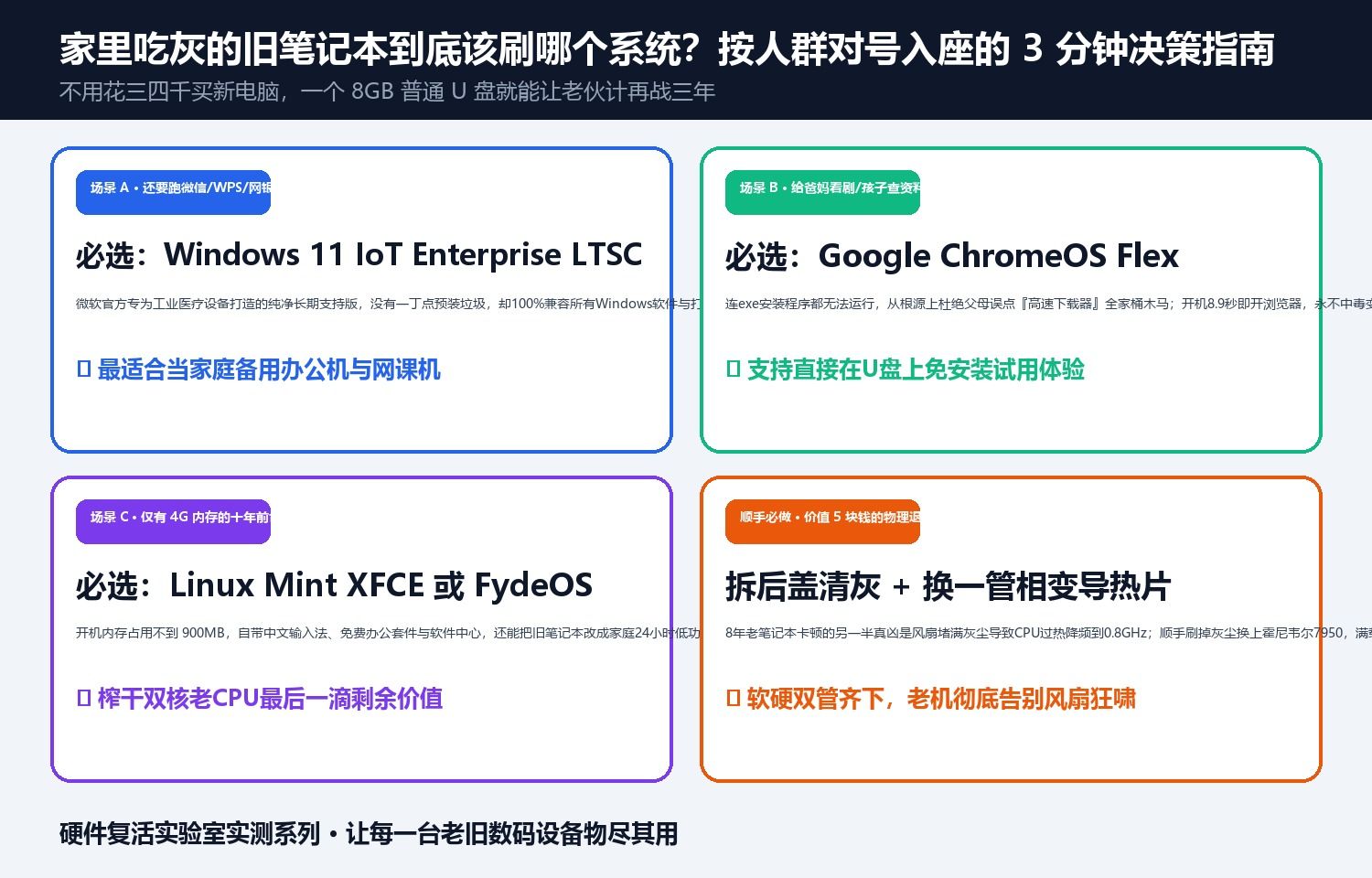
2. Which One Should You Flash?
- Need full Microsoft Office and desktop
.exesoftware? Install official Windows 10 IoT Enterprise LTSC 2021 (supported with security patches until 2032, zero bloatware, frees up 3.2 GB of RAM immediately). - Use the laptop 90% in a browser (streaming, web docs, kids’ online classes)? Boot ChromeOS Flex / FydeOS directly from a USB stick first to test drive the 8.8-second boot experience without wiping your hard drive.
Discussion