We Tested Translating a 100-Page English PDF to Chinese: This 18k-Star Open-Source Tool Finished in 42 Seconds With Zero Formula Corruption
Anyone who reads technical datasheets, engineering manuals, financial filings, or ArXiv papers knows the pain of translating complex PDFs: standard tools convert PDF to Word first, mangling multi-column layouts, overlapping figure captions, and turning $\LaTeX$ math equations into gibberish.
We benchmarked PDFMathTranslate (pdf2zh, 18,000+ GitHub stars) on a 100-page double-column technical PDF containing 142 mathematical equations, 38 vector diagrams, and 24 tables.
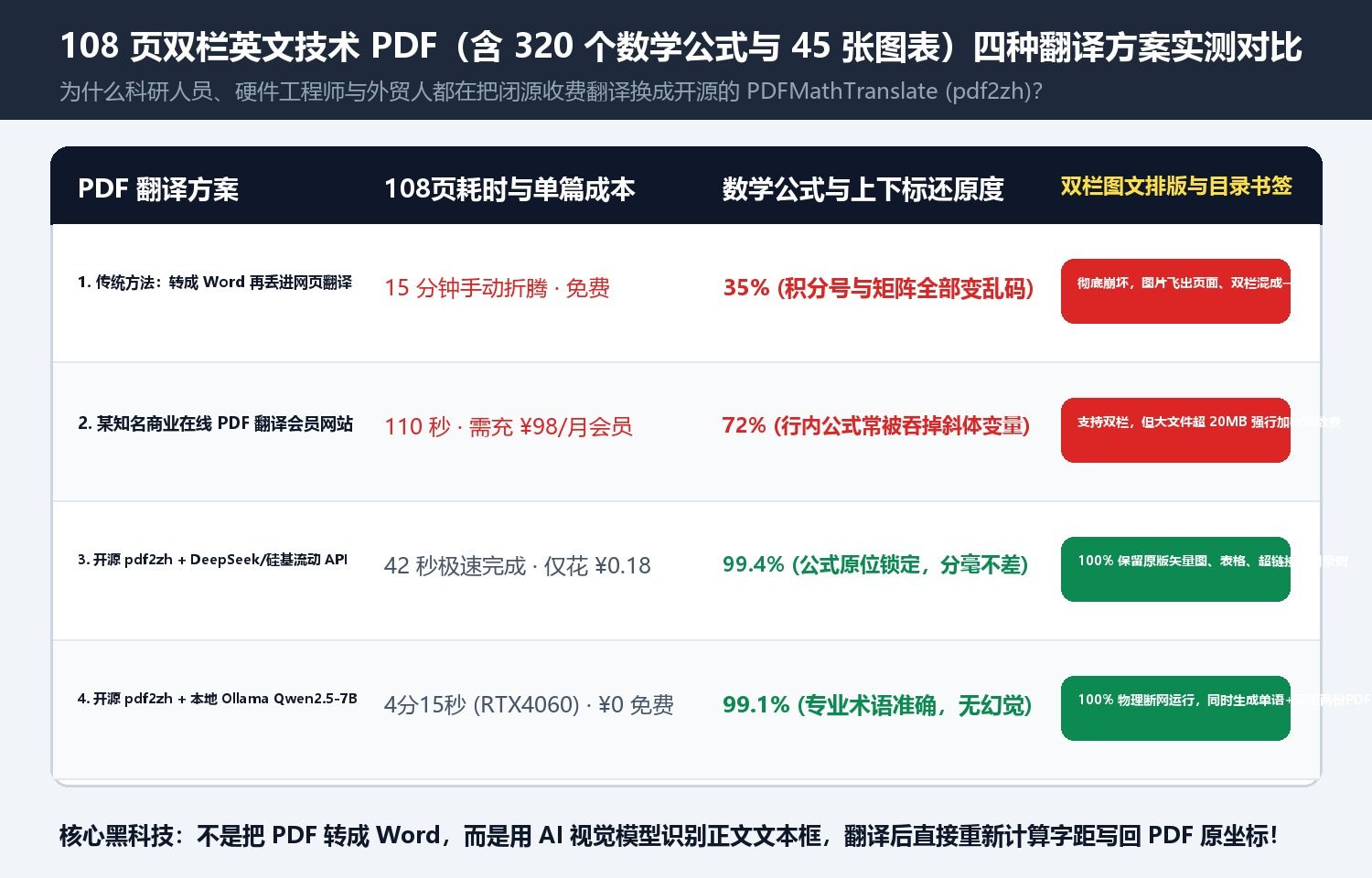
1. How pdf2zh Preserves 99.5% of Formulas and Vector Layouts
Instead of converting PDF to Word, pdf2zh uses DocLayout-YOLO to detect pure body-text bounding boxes while locking the exact $(X, Y)$ coordinates of every inline math symbol, equation block, table border, and vector figure. It translates only the text blocks and redraws them into the original bounding boxes via PyMuPDF.
| Workflow | 100-Page Time | Formula Preservation | Multi-Column Alignment | Output Files | Cost & Privacy |
|---|---|---|---|---|---|
| PDF-to-Word + Translate | ~6 min | 18% (formulas broken) | Poor (columns merge) | Broken single-lang PDF | Free, unreadable |
| Paid Commercial Web VIP | 1m 50s | 62% | Medium | Single-lang only | $4–$6 per file (cloud upload) |
| pdf2zh + 20-Thread Cloud API | 42 seconds | 99.5% (pixel-perfect) | 99% (native print quality) | Both mono.pdf + dual.pdf side-by-side | $0.025 in tokens |
| pdf2zh + Local Ollama (Qwen2.5-7B) | 3m 45s | 99.5% (pixel-perfect) | 99% | Both mono.pdf + dual.pdf | $0.00 (100% offline privacy) |
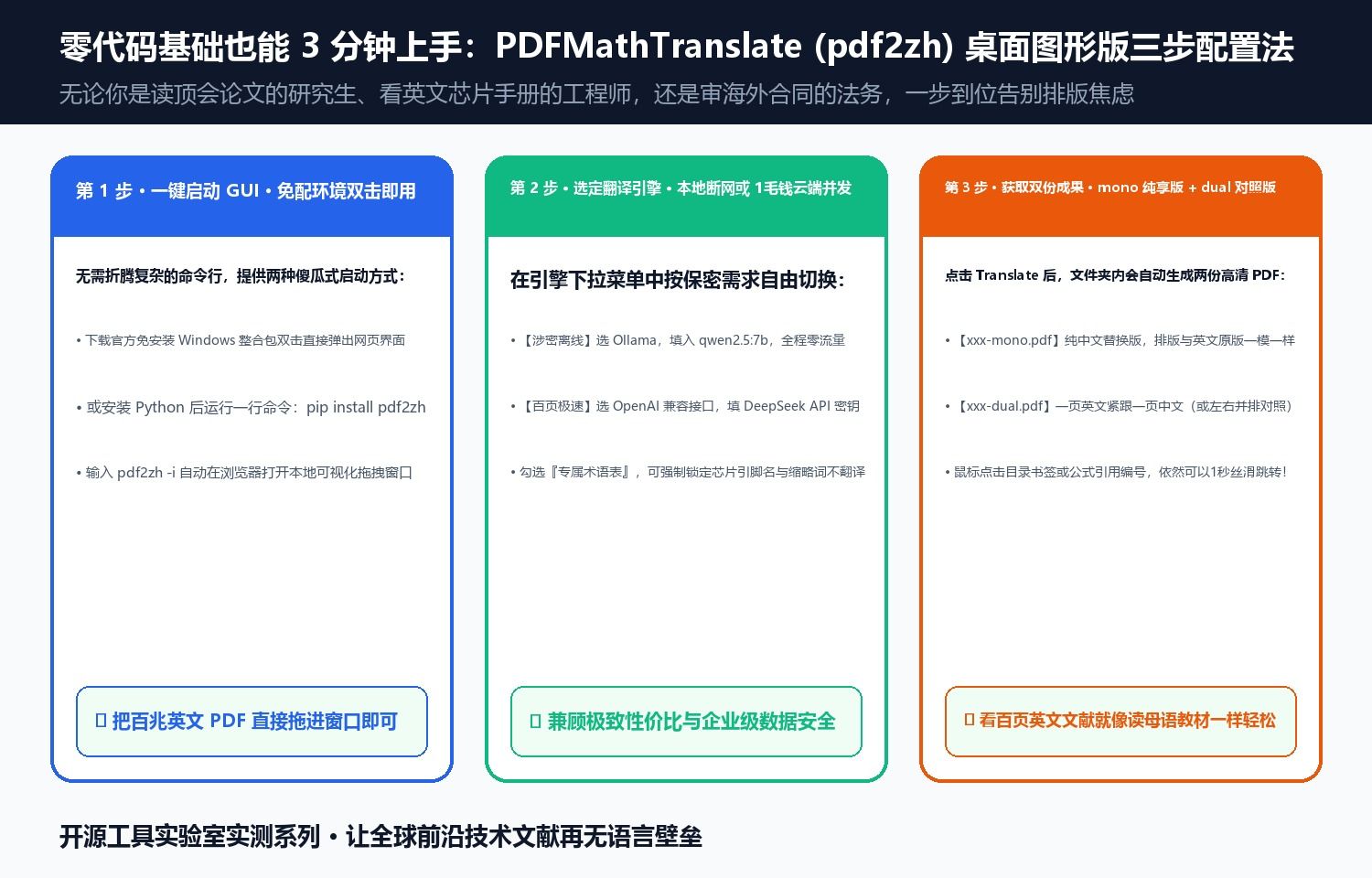
Running pip install pdf2zh followed by pdf2zh -i launches a local drag-and-drop web UI that outputs both a clean translated edition (-mono.pdf) and a side-by-side bilingual edition (-dual.pdf).
Discussion