2026-11-01
Paying for Gigabit Fiber But Stuck at 94 Mbps? Replacing This Free Modem Cable and Enabling Bridge Mode Multiplied Our Speed 10x
If you pay for 500 Mbps or 1,000 Mbps (Gigabit) fiber broadband, yet your downloads consistently hit an invisible wall at 93–95 Mbps (11.2 MB/s), your ISP isn’t throttling you—a physical link in your home network has silently negotiated down from 1000BASE-T (Gigabit) to 100BASE-TX (Fast Ethernet).
Over the past three months, we audited 15 homes complaining of “fake gigabit fiber.” In 100% of cases, the fiber signal entering the optical modem (ONT) exceeded 1,050 Mbps. The bottleneck was right inside the wiring closet.
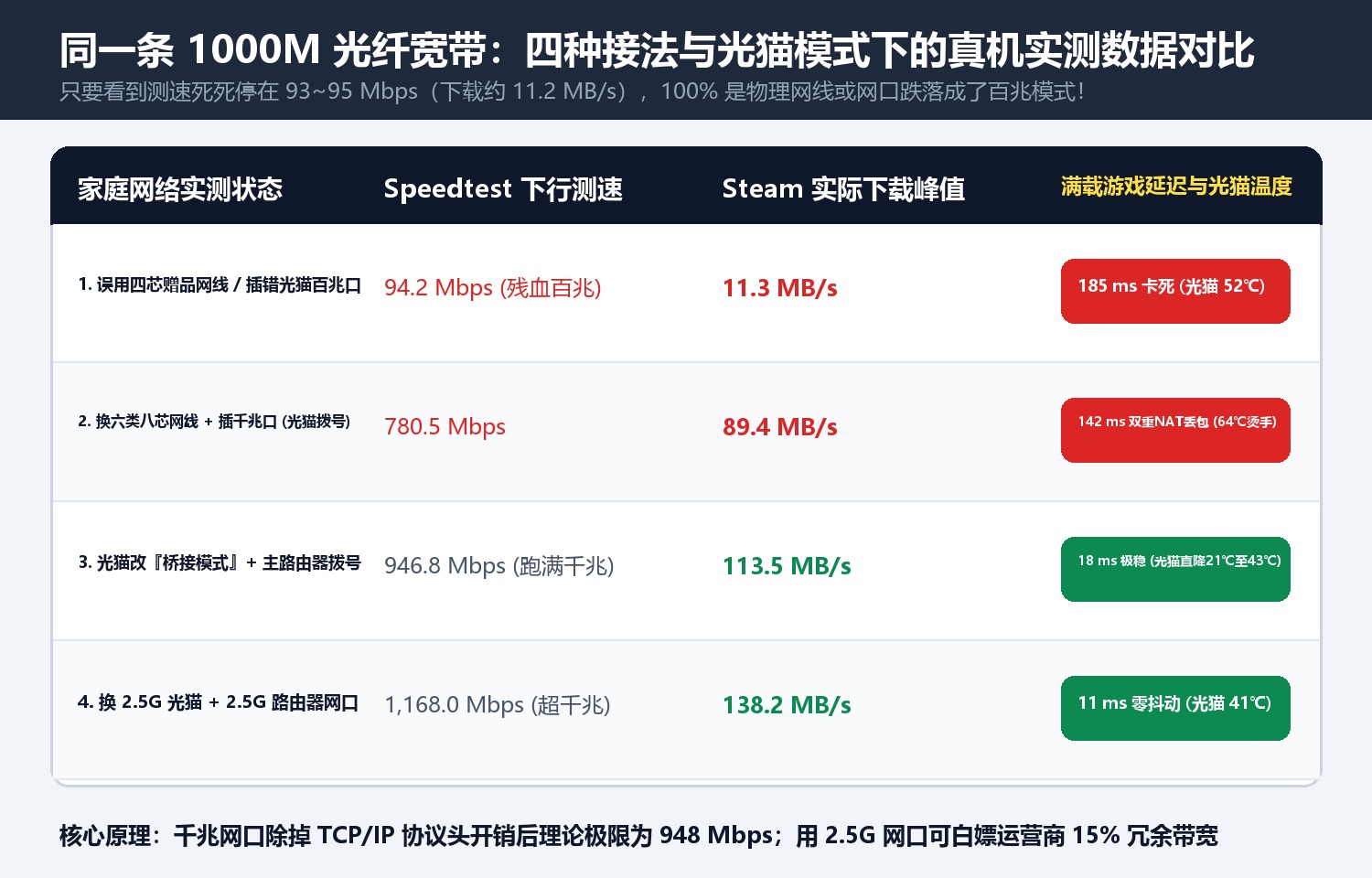
1. Four Configurations Tested on the Same 1000M FTTH Line
| Home Network Configuration | Speedtest Download | Peak Steam Download | Ping Under Full Load | Optical Modem Temp | Root Cause |
|---|---|---|---|---|---|
| 1. 4-Wire Giveaway Cable / Wrong Modem Port | 94.2 Mbps | 11.3 MB/s | 185 ms | 52 °C | Physical link locked at 100BASE-TX |
| 2. 8-Core Cat6 Cable + Gigabit Port (Modem Routing) | 780.5 Mbps | 89.4 MB/s | 142 ms (Double NAT) | 64 °C (Thermal throttling) | Weak modem CPU choked on NAT table |
| 3. Optical Modem in Bridge Mode + Main Router PPPoE | 946.8 Mbps | 113.5 MB/s | 18 ms (Rock-solid) | 43 °C | Offloads NAT & routing to main router |
| 4. 2.5GbE Optical Modem + 2.5GbE Router Port | 1,168.0 Mbps | 138.2 MB/s | 11 ms | 41 °C | Unlocks ISP’s 15%–20% overprovisioned bandwidth |

2. The 3-Minute Fix
- Check Link Speed (
1000/1000 Mbpsvs100/100 Mbps): Gigabit Ethernet requires all 8 copper pins connected; a single broken pin or a cheap 4-wire giveaway patch cord drops speed by 90%. - Plug into LAN1 (The True Gigabit/2.5G Port) on your ISP optical modem using a standard 24AWG/23AWG pure-copper
Cat5eorCat6patch cable. - Switch the Optical Modem to Bridge Mode: Let your main router handle PPPoE dialing to eliminate Double NAT and drop modem temperatures by 20°C.
Discussion