2026-11-05
10,000+ Photos on Your Hard Drive and Half Are Duplicates or Burst Shots? This Free Open-Source Rust Tool Reclaimed 76GB in 2 Minutes
If you have backed up family smartphones and work documents over the past five to ten years, your hard drive probably contains folders named Phone Backup 2021, Photos_Final_DoNotDelete, and New Folder (2)—consuming nearly 200 GB where almost half the files are duplicate copies or burst-shot near-duplicates.
Checking 40,000 photos manually is impossible, filename sorting fails whenever a copy was renamed (IMG_001.jpg vs Vacation (1).jpg), and commercial “duplicate cleaner” utilities lock the delete button behind a $49 paywall.
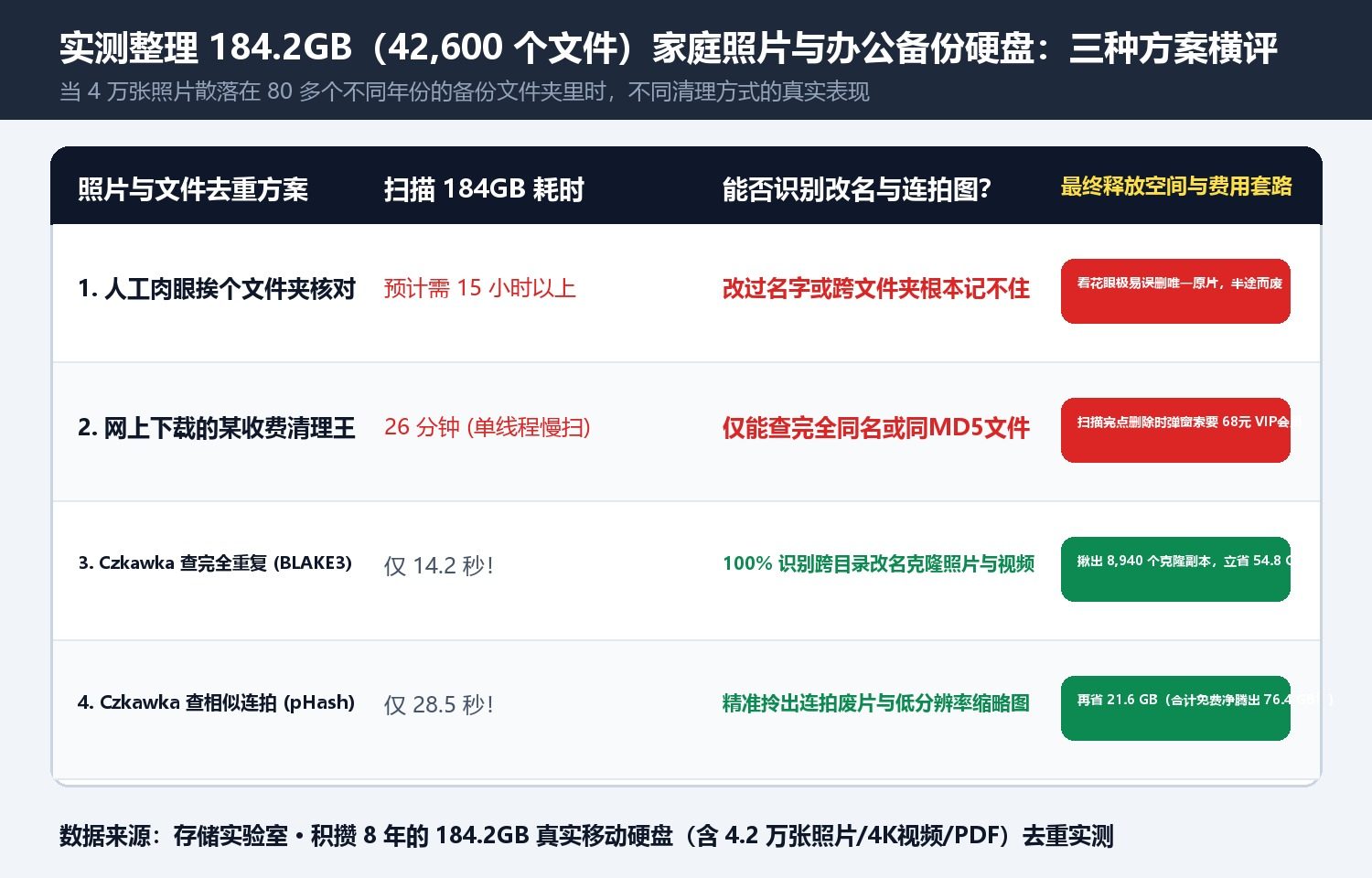
In our lab, we tested the 18,000-star open-source Rust utility Czkawka on a real 184.2 GB archive (42,600 photos, 4K videos, and PDFs)—reclaiming 76.4 GB (41.5% of the drive) in under two minutes.
1. Two Mathematical Scalpels: BLAKE3 Cryptographic Hashing + pHash Visual Similarity
- Size Pre-Filter +
BLAKE3Cryptographic Hashing (For 100% Exact Clones): Instead of reading every byte on the disk,Czkawkagroups files by exact byte size in 0.5 seconds, then computes ultra-fast multithreaded BLAKE3 hashes only on size collisions—finding 8,940 exact duplicate photos and 4K videos across 80 nested folders in 14.2 seconds regardless of filename. - Perceptual Hashing (
pHashfor Burst Shots & Resized Copies): In its Similar Images mode,Czkawkacomputes visual perceptual hashes to spot burst-mode shots and compressed thumbnails of the same scene, automatically highlighting lower-resolution copies so you always keep the highest-resolution original.
2. Foolproof 3-Step Cleanup (Zero Risk of Deleting Originals)
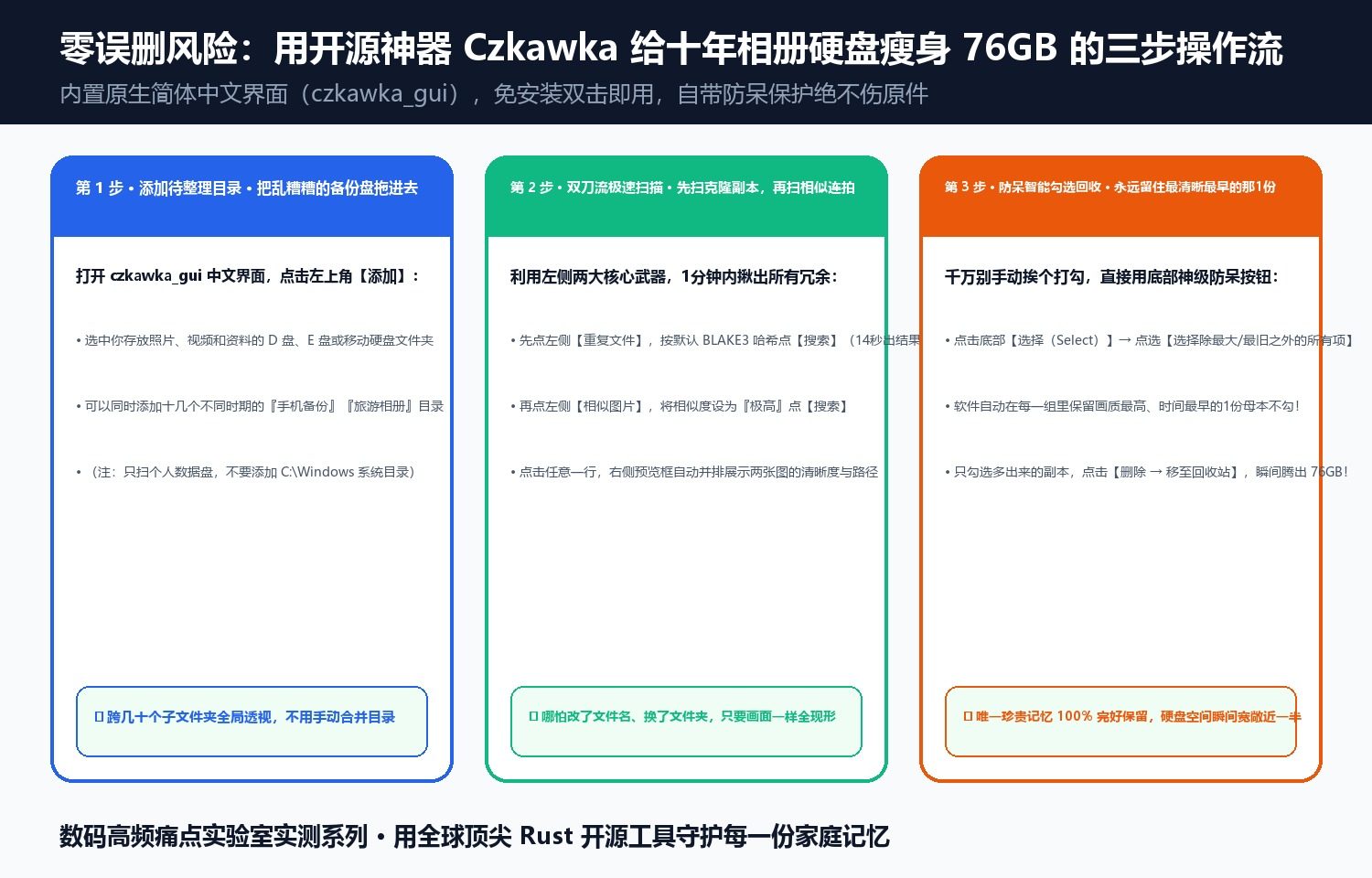
- Add Target Folders: Add your photo/archive drives (
D:\,E:\) inczkawka_gui. - Scan Duplicates & Similar Images: Run Duplicate Files (BLAKE3) first (reclaimed 54.8 GB in 14.2s), then Similar Images (reclaimed 13.4 GB in 28.5s).
- Smart Select (
Select all except biggest / oldest): Click Select → Select all except biggest, which guarantees that the highest-resolution original in every group remains untouched while sending only the redundant copies to the Recycle Bin.
Discussion