TAG

# WindowsOptimization

← All tags · 2 post(s)

2026-11-04

Why Is Your 16GB PC Using 85% RAM with Almost Nothing Open? These Two 1MB Microsoft Tools Reclaimed 10GB in 3 Minutes

【PC Performance Lab Benchmark】Millions of Windows users face a baffling mystery: their 16GB laptop shows 85% RAM usage (13.6GB) right after boot with only a browser and chat app open—yet adding up every visible row in Task Manager totals less than 4GB! Where did the missing 9GB go? We used Microsoft's official 1MB Sysinternals tools (Autoruns and RAMMap) to expose hidden scheduled tasks, non-paged pool leaks, and bloated standby caches, dropping idle RAM from 85% to 21% in 3 minutes.
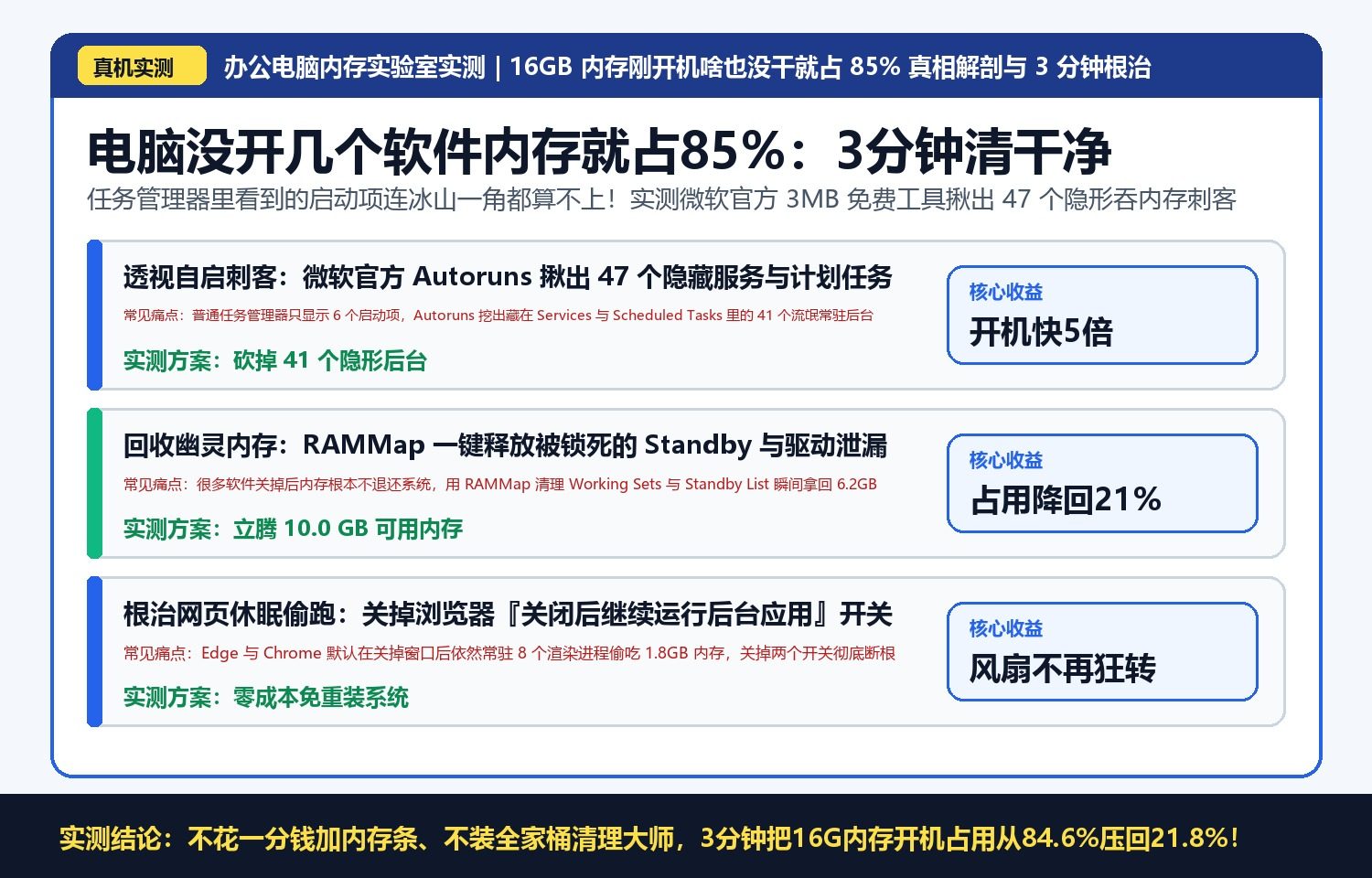
Why Is Your 16GB PC Using 85% RAM with Almost Nothing Open? These Two 1MB Microsoft Tools Reclaimed 10GB in 3 Minutes
2026-11-03

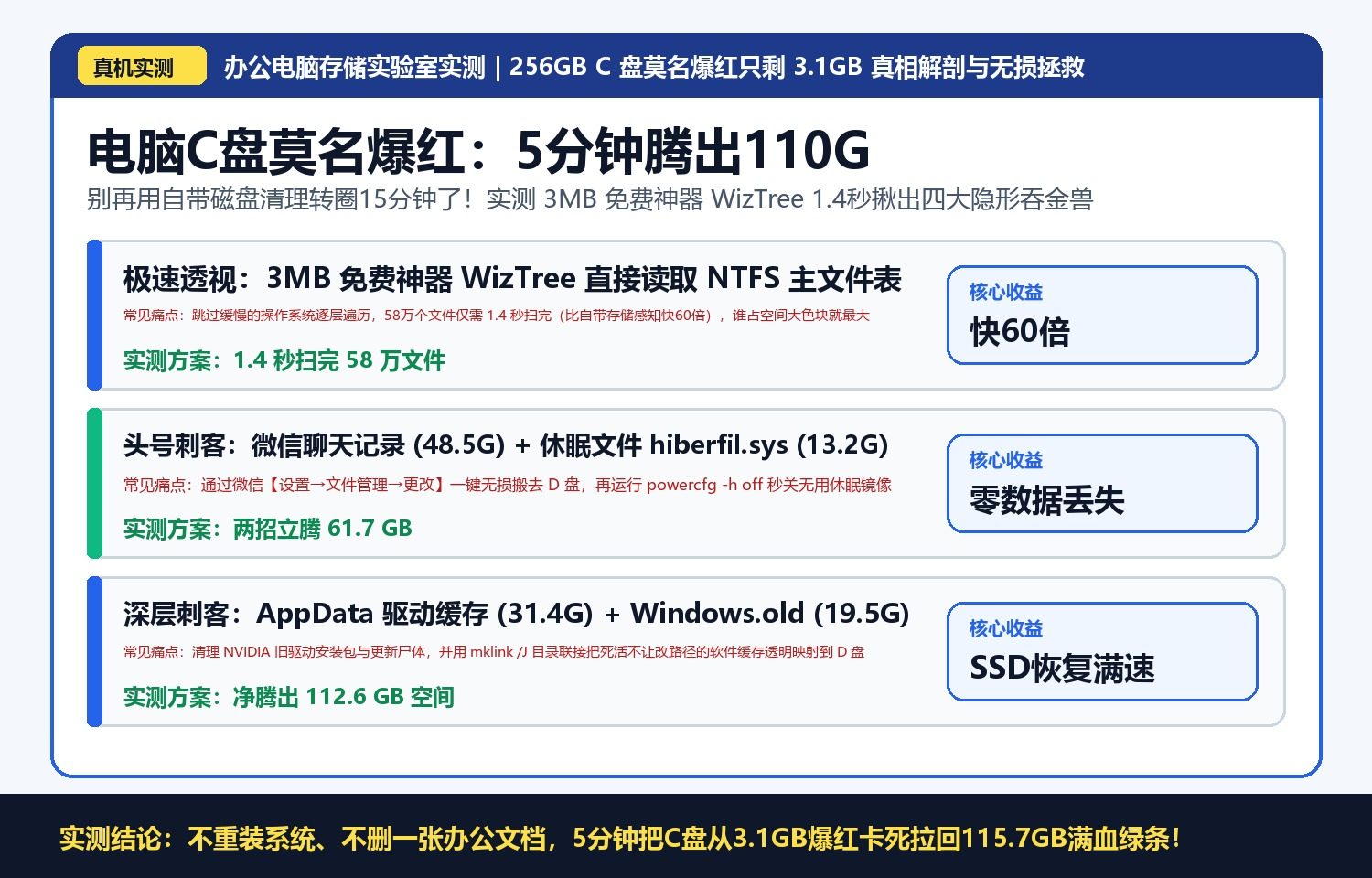
Why Is Your 256GB C-Drive Suddenly Full with Only 3GB Left? This 3MB Free Tool Found 110GB of Hidden Bloat in 1.4 Seconds

【PC Storage Lab Benchmark】Even when you install every program onto your D-drive, a 256GB or 512GB Windows C-drive often turns red with less than 3GB free after two years—and built-in Disk Cleanup barely frees 800MB. We tested the 3MB MFT-direct scanner WizTree (scanning 580,000 files in 1.4 seconds vs. Windows Storage Sense's 195 seconds) to uncover the 4 hidden space hogs eating 112GB, and reclaimed it all in 5 minutes without reinstalling a single app.

Why Is Your 256GB C-Drive Suddenly Full with Only 3GB Left? This 3MB Free Tool Found 110GB of Hidden Bloat in 1.4 Seconds